
GA4 Report
Privacy Policy
“Guenstiger-Argep GA4 Report” add-on is free to use for our partners.
The Spreadsheet add-on uses the following scopes:
| To allow this application to run when you are not present | https://www.googleapis.com/auth/script.scriptapp |
| To display and run this in prompts and sidebars inside Google applications | https://www.googleapis.com/auth/script.container.ui |
| To see and download Google Analytics data to his Spreadsheet | https://www.googleapis.com/auth/analytics.readonly |
| To be able to view and manage Google Analytics data | https://www.googleapis.com/auth/analytics |
| To send email as you | https://www.googleapis.com/auth/script.send_mail |
| To read data from and write data to his Spreadsheet | https://www.googleapis.com/auth/spreadsheets |
Support
Guenstiger-Argep GA4 Report is an add-on for Google Sheets that facilitates the automated delivery of GA4 data to recipients on a regular basis. With this add-on, you can seamlessly generate and send GA4 reports using Google Sheets.
Install the Google Sheets add-on
To use the Guenstiger-Argep GA4 Report add-on, you must first add it to your Spreadsheet.
The add-on is then available in every Google Spreadsheet under “Extensions” menu.
To configure and use the Guenstiger-Argep GA4 Report add-on, follow these steps:
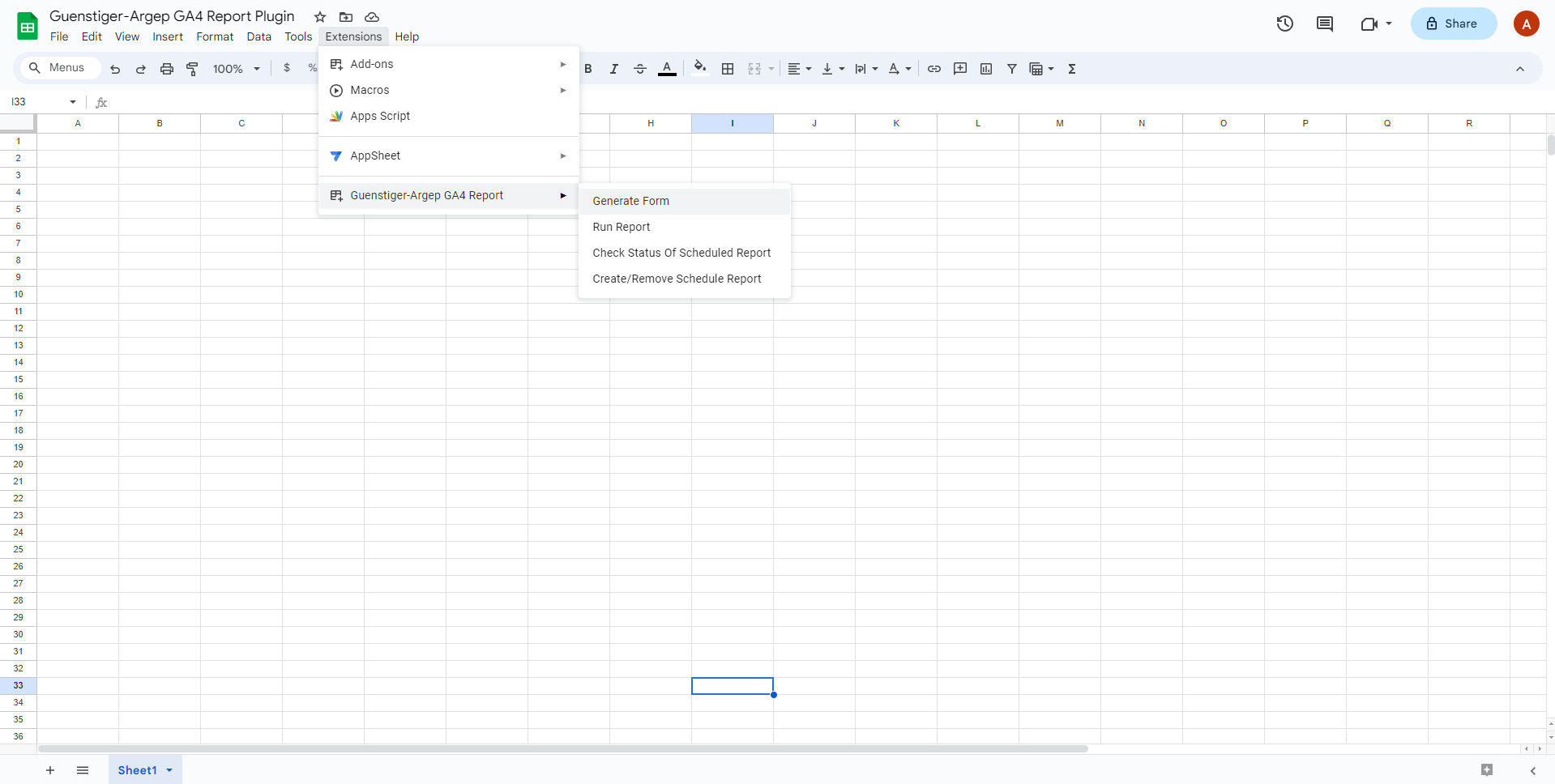
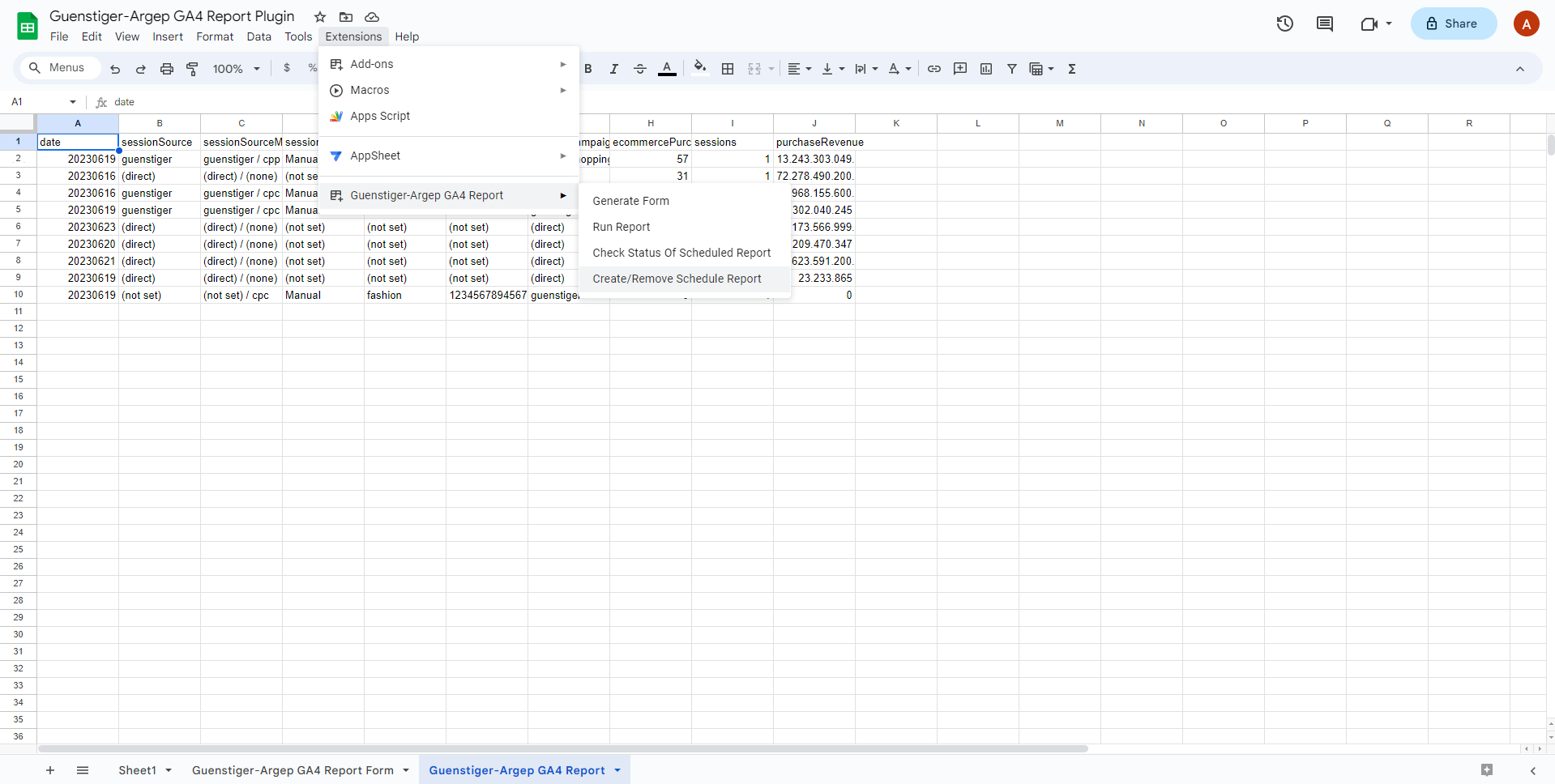
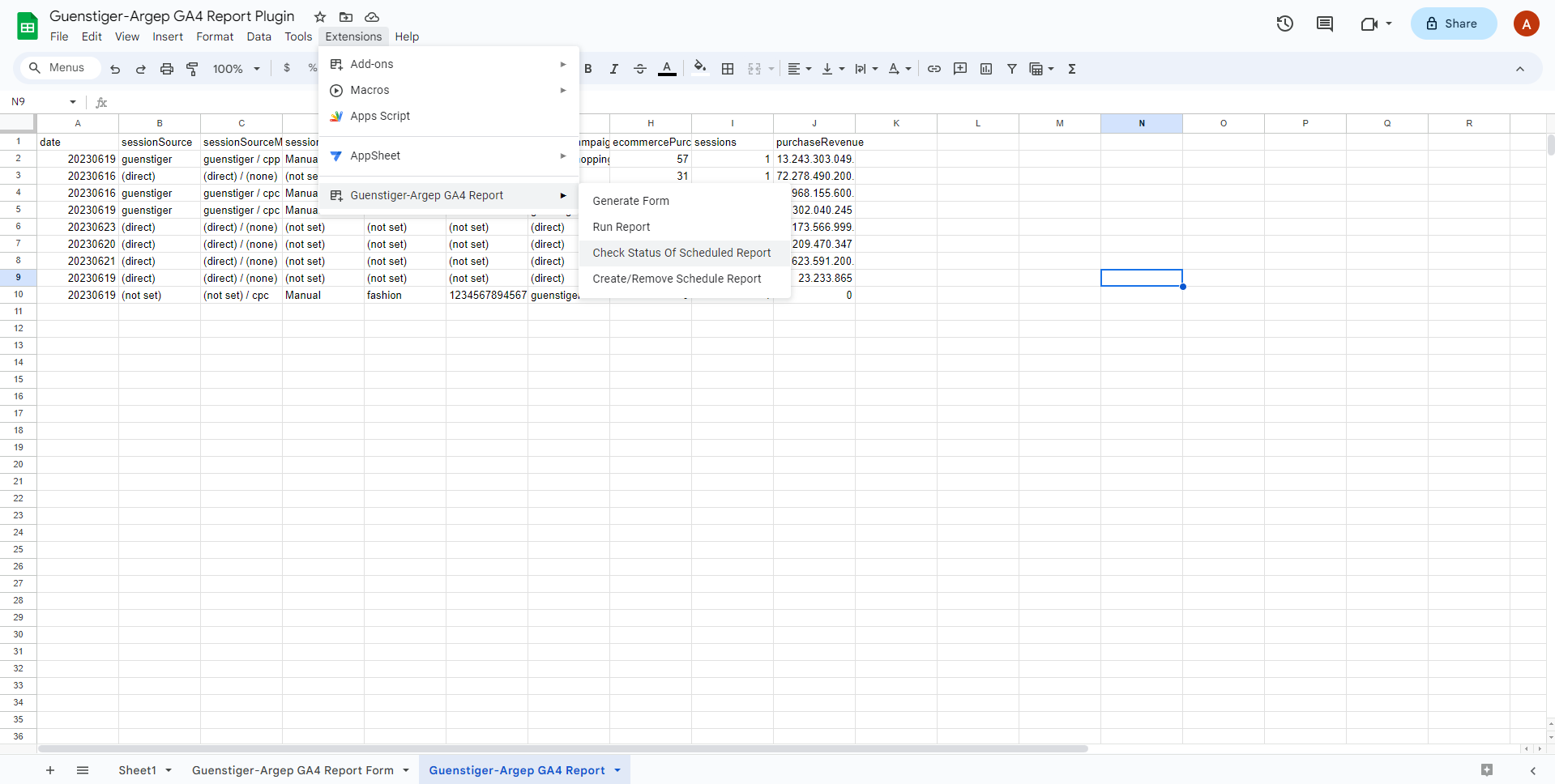
Fill out the configuration form: Go to the menu bar and select "Extensions" > "Guenstiger-Argep GA4 Report" > "Generate Form."
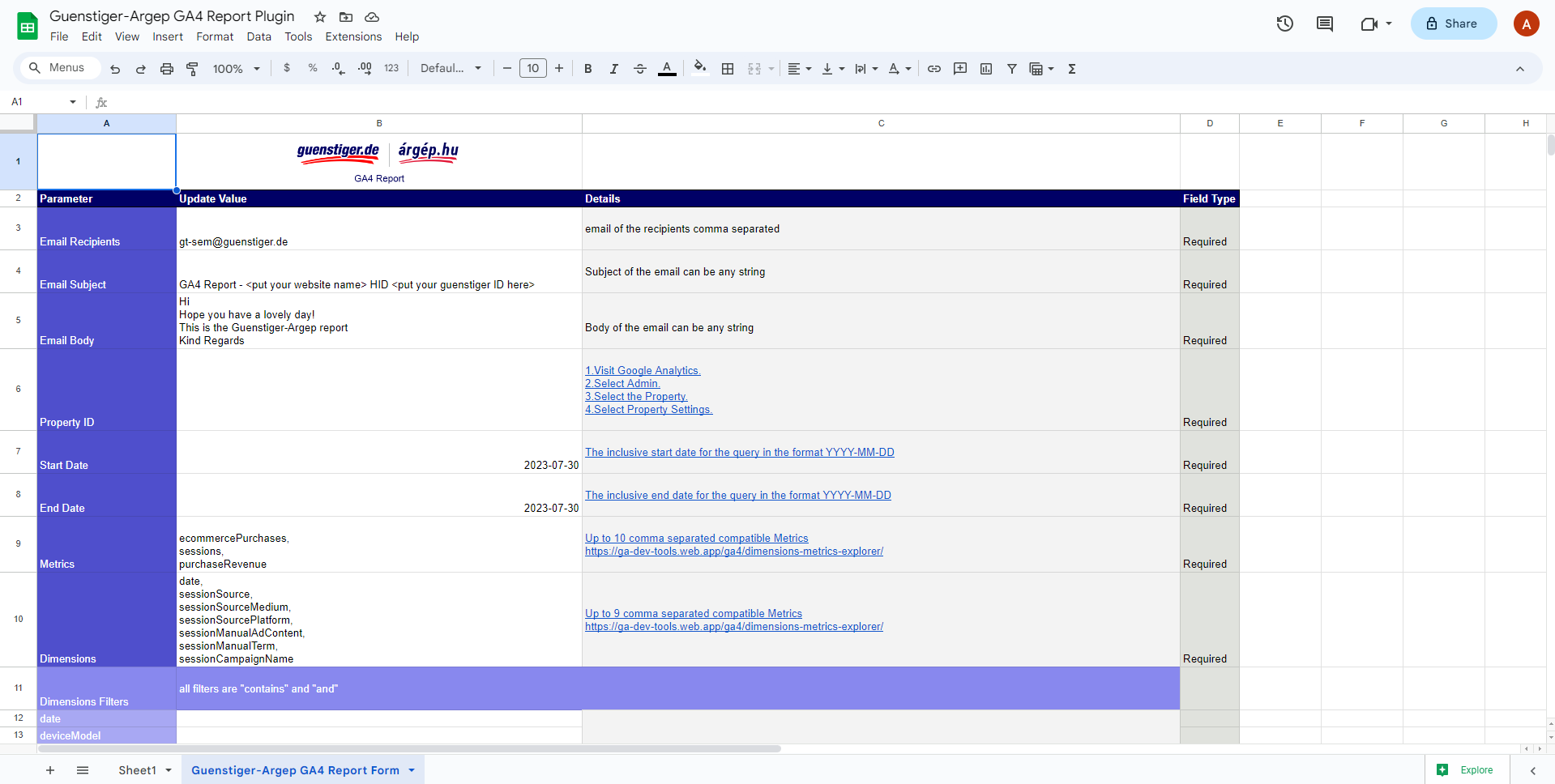
This will generate a form where you can enter the necessary information to retrieve GA4 data from your Google Analytics account and send it to the designated email recipient.
The configuration options include:
- Email Recipients: Enter the email addresses of the recipients, separated by commas.
- Email Subject: Specify the subject line for the email.
- Email Body: Provide the content for the email body.
- Property ID: Enter the GA4 property ID. You can find this ID at https://developers.google.com/analytics/devguides/reporting/data/v1/property-id
- Start Date: Specify the inclusive start date for the query in the format YYYY-MM-DD. The end date cannot be before this start date.
- End Date: Specify the inclusive end date for the query in the format YYYY-MM-DD. The start date cannot be after this end date.
- Metrics/Dimensions: Refer to the following link for available options: https://support.google.com/analytics/answer/9143382?sjid=15692810772003492562-AP#zippy=
For additional details on the API schema, please visit: https://developers.google.com/analytics/devguides/reporting/data/v1/api-schema
Optional Configurations
Dimensions Filters: Apply filters to the dimensions using "contains" and "and" operators.
Supported Options:
- Date: Filter data based on specific dates.
- Device Model: Filter data based on the device model.
- Device Category: Filter data based on the device category.
- Session Source: Filter data based on the session source.
- Session Source Medium: Filter data based on the session source medium.
- Session Source Platform: Filter data based on the session source platform
- Session Manual Ad Content: Filter data based on manually specified ad content.
- Session Manual Term: Filter data based on manually specified terms.
- Session Campaign Name: Filter data based on the campaign name.
Generate and Send Report
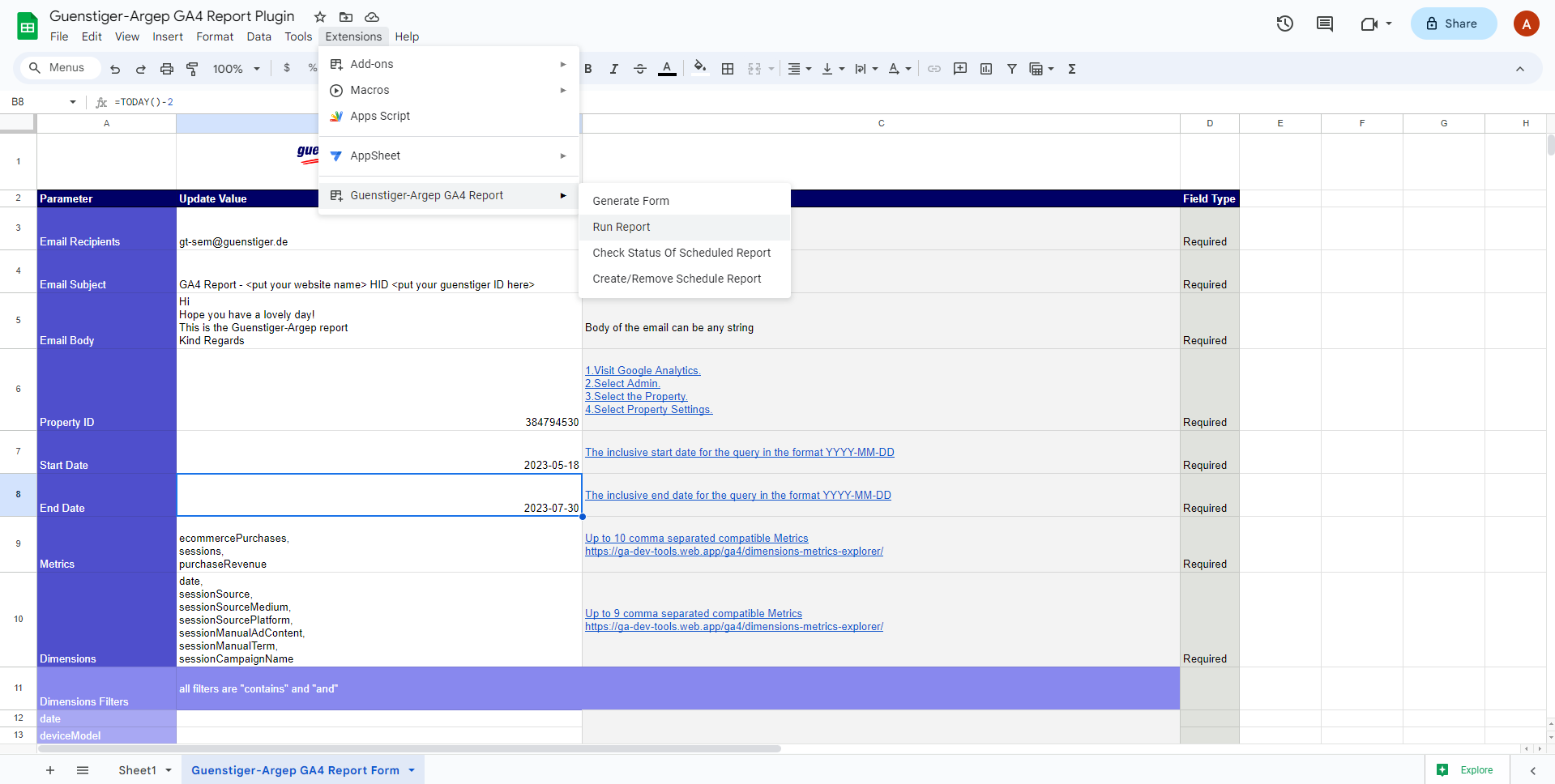
Access the "Run Report" option under "Extensions" > "Guenstiger-Argep GA4 Report" in the menu bar.
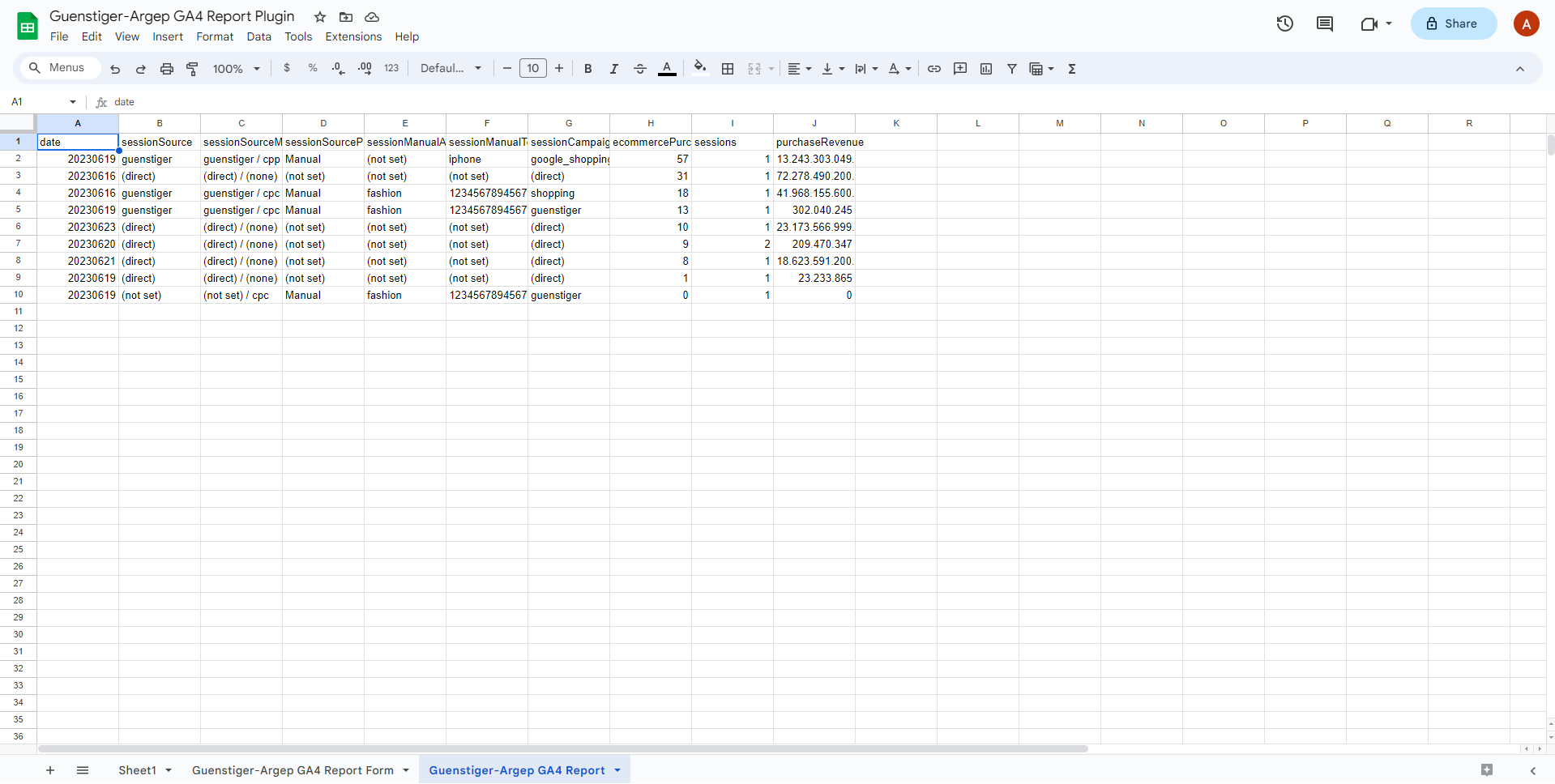
This action will generate a Google Sheet named "Guenstiger-Argep GA4 Report" and send a copy of it to the designated email recipients.
Manage Schedule Report
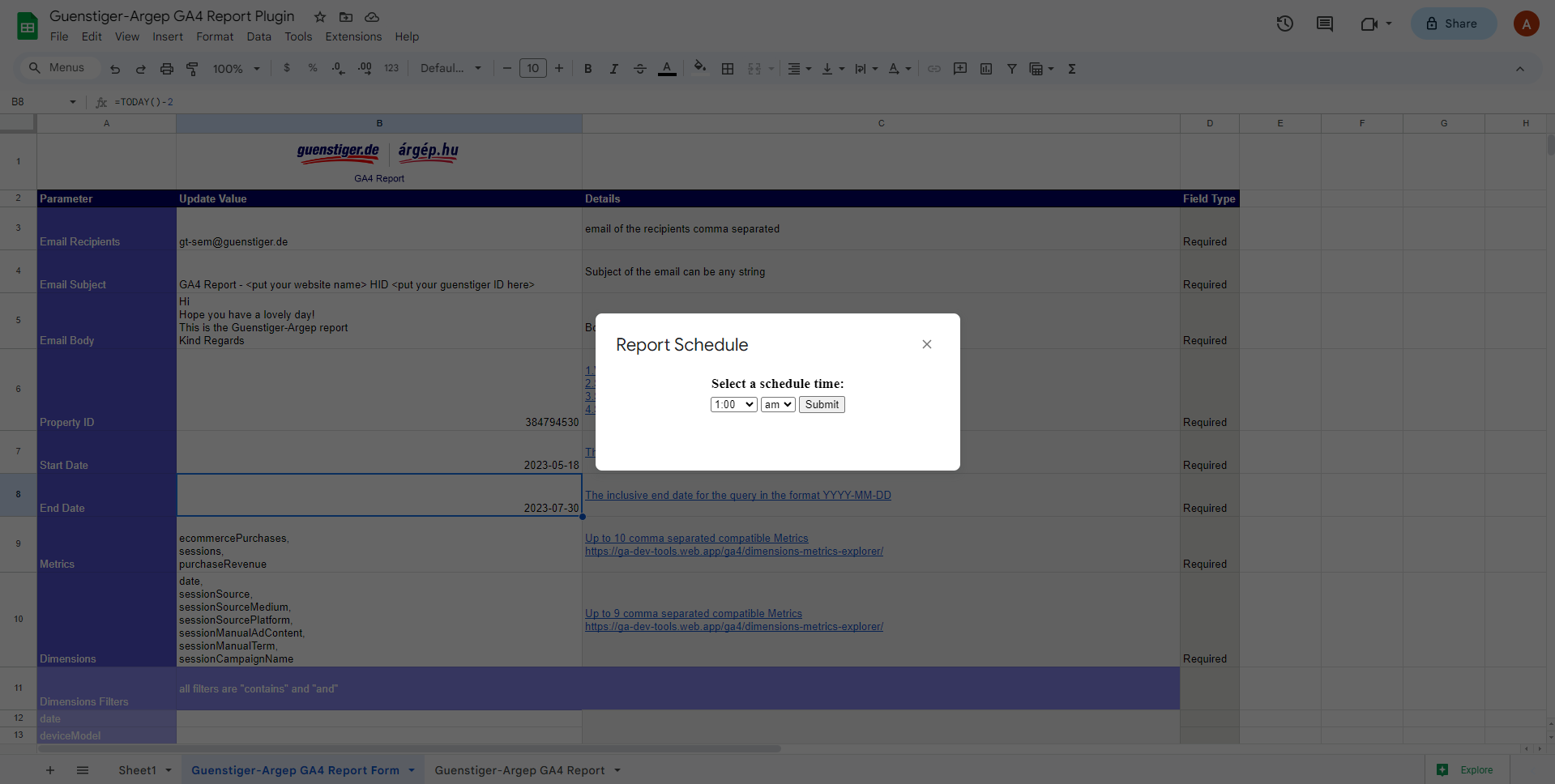
Access the "Create/Remove schedule report" option under "Extensions" > "Guenstiger-Argep GA4 Report" in the menu bar.
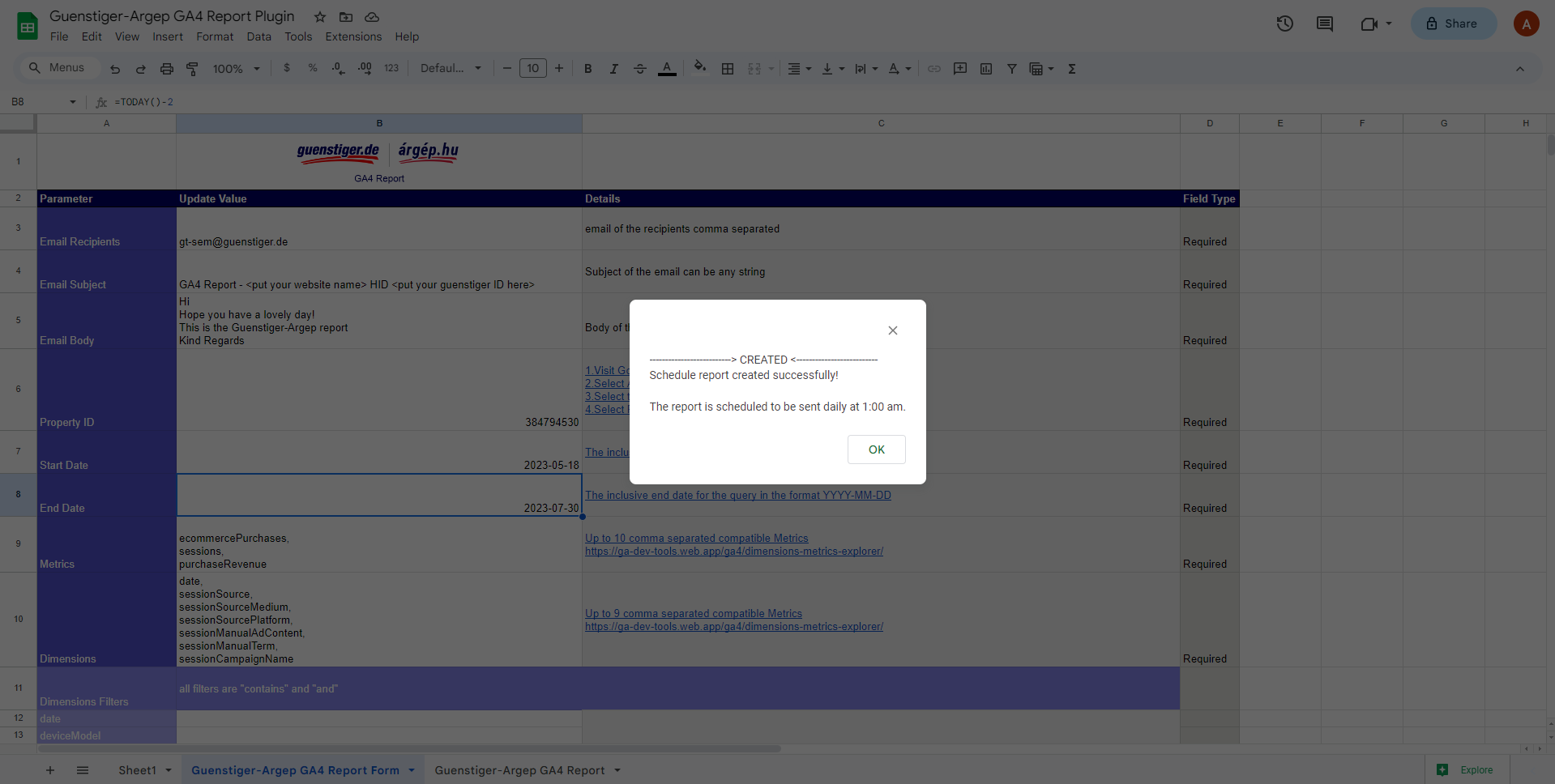
- If the report has not been scheduled before, select the desired schedule time and click submit.
- This will set up a recurring report to be sent to the specified email recipients at the designated intervals.
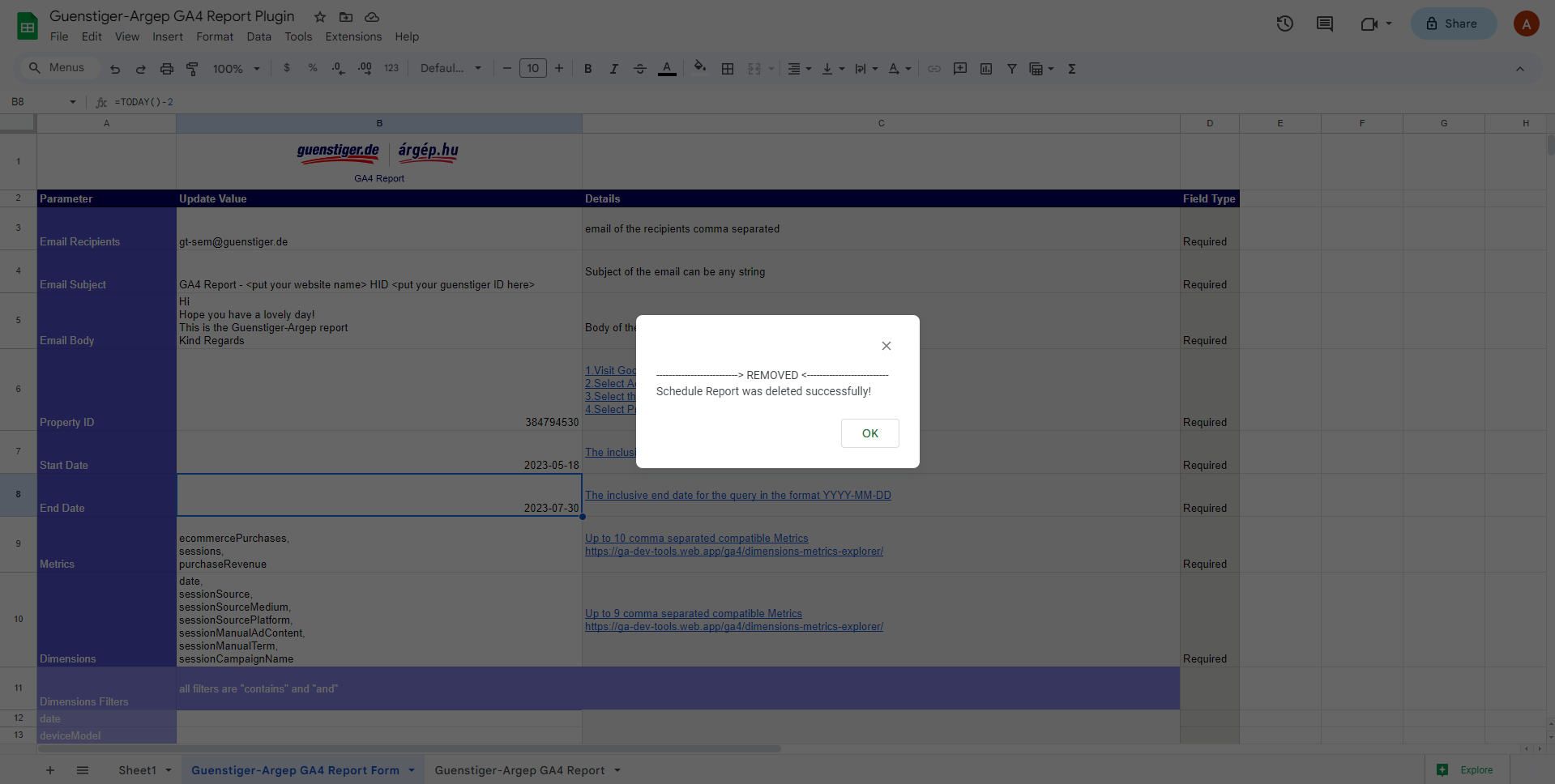
- In case the report was previously scheduled, selecting this option will remove the existing schedule.
Check Schedule Report Status
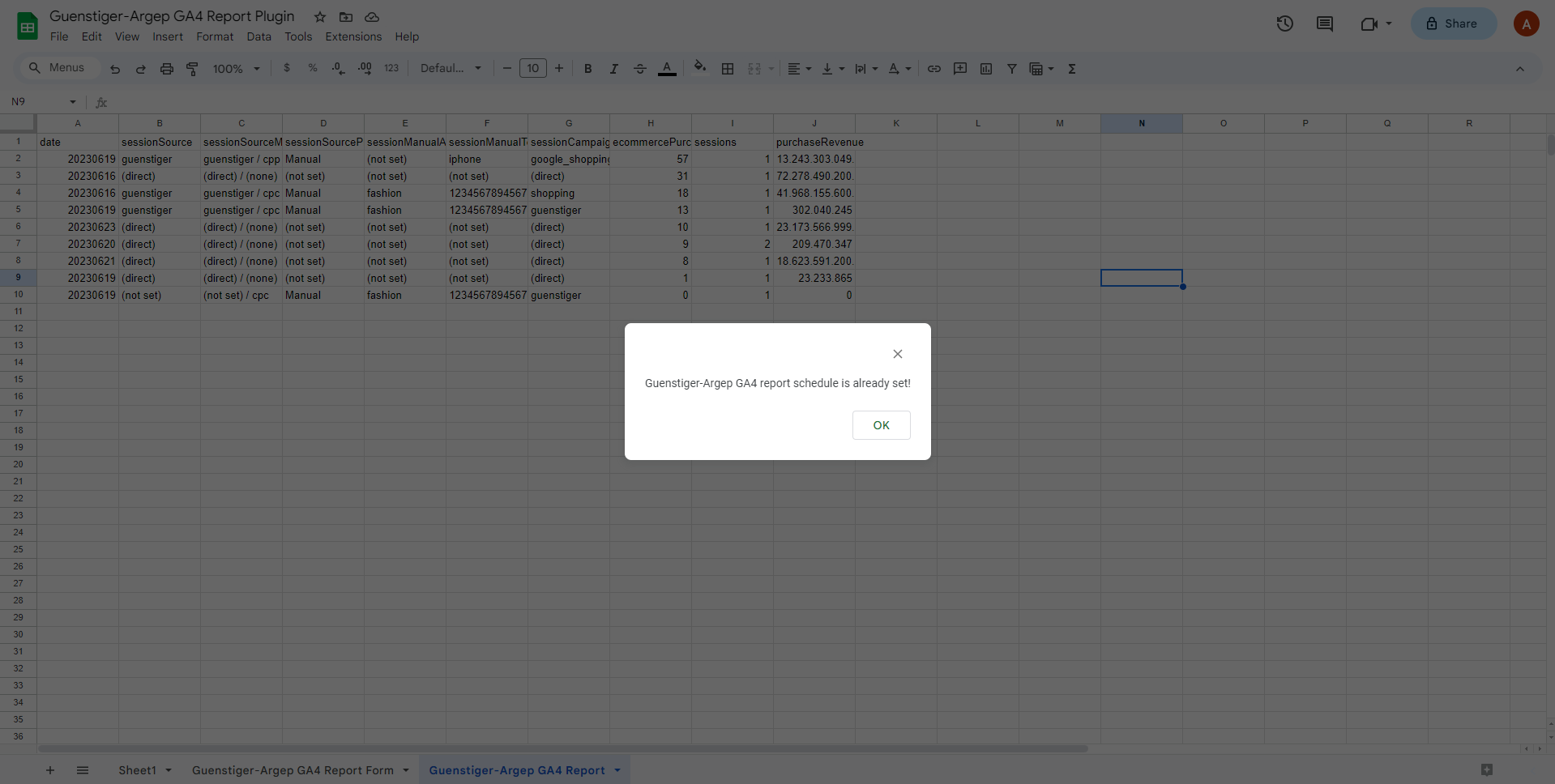
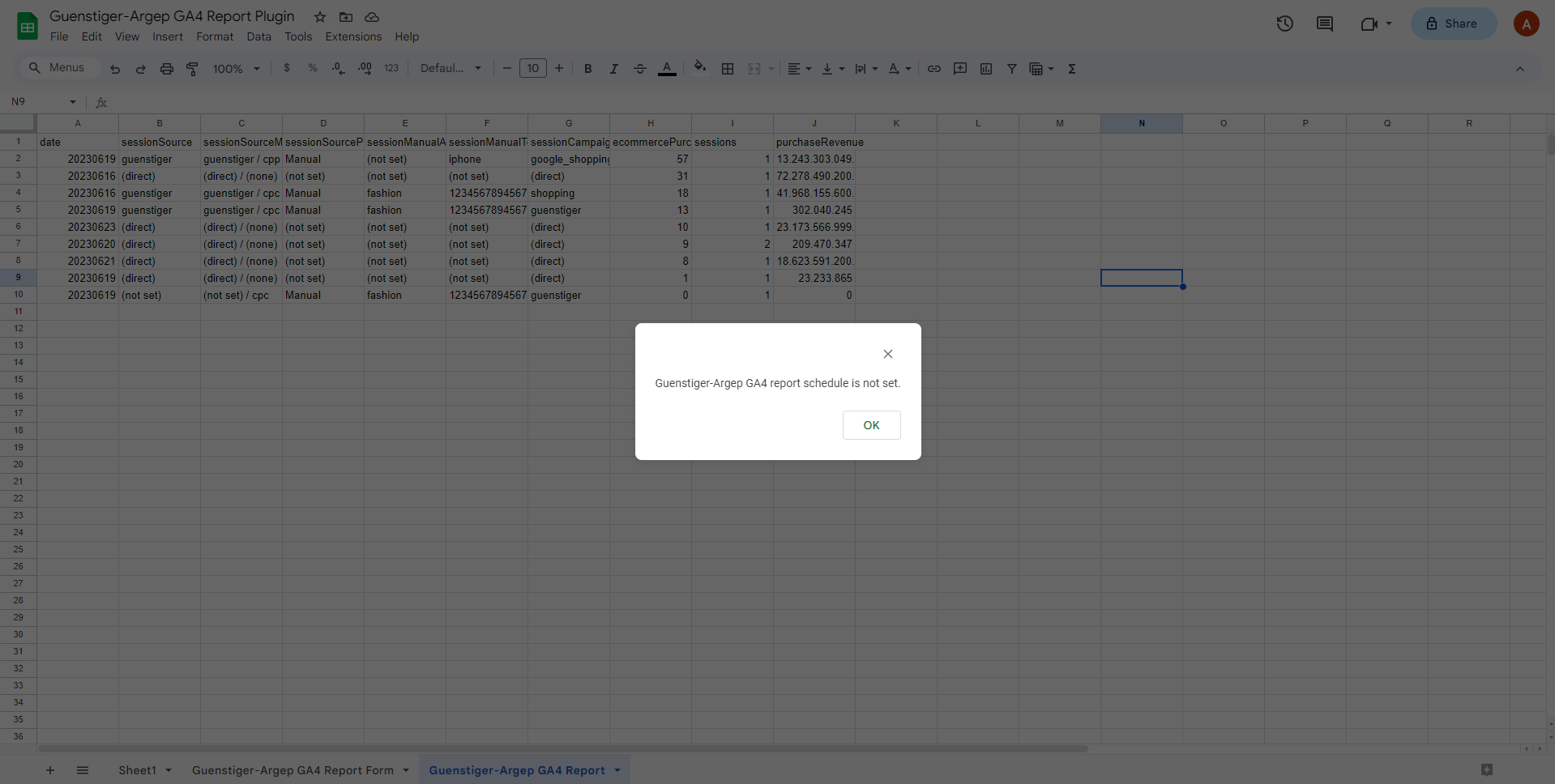
Access the "Check status of scheduled report" option under "Extensions" > "Guenstiger-Argep GA4 Report" in the menu bar. This will provide information about the current status of the scheduled reports.
Terms of use
Spreadsheet Add-ons
You can use Guenstiger-Argep GA4 Report Add-on for free.
